
Economy, Gameplay
The complete tycoon framework — economy, plots, and models, all built in.
Plug-and-play tycoon framework for Roblox. Economy, plot assignment, and model spawning out of the box.
Preview
See it in action
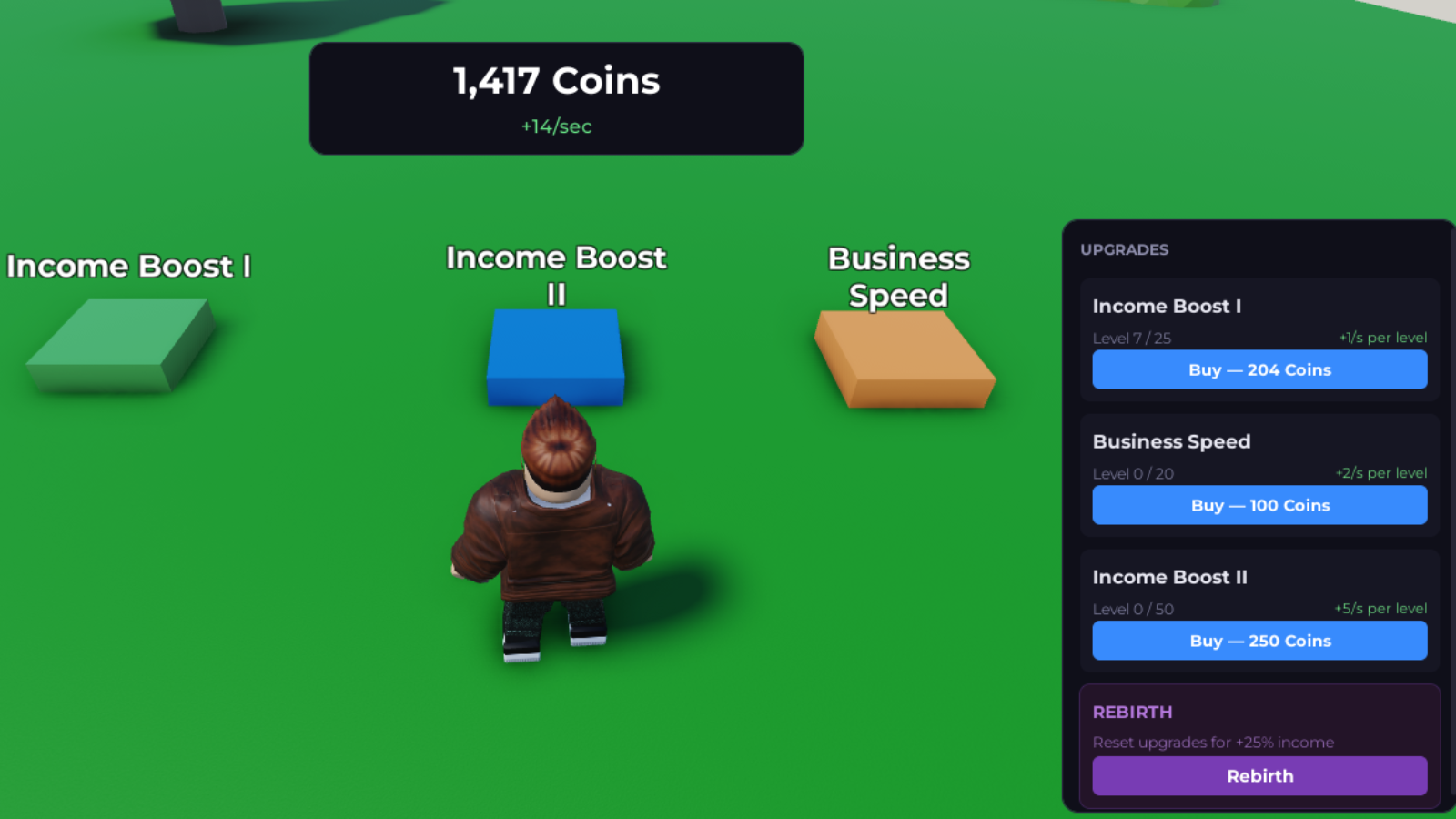
Easy Tycoon Engine in-game demo showing upgrade buttons, balance HUD, and side panel
Drop in colored upgrade buttons, a live balance HUD, and a purchase panel — the engine handles cost scaling, income ticks, and persistence automatically.
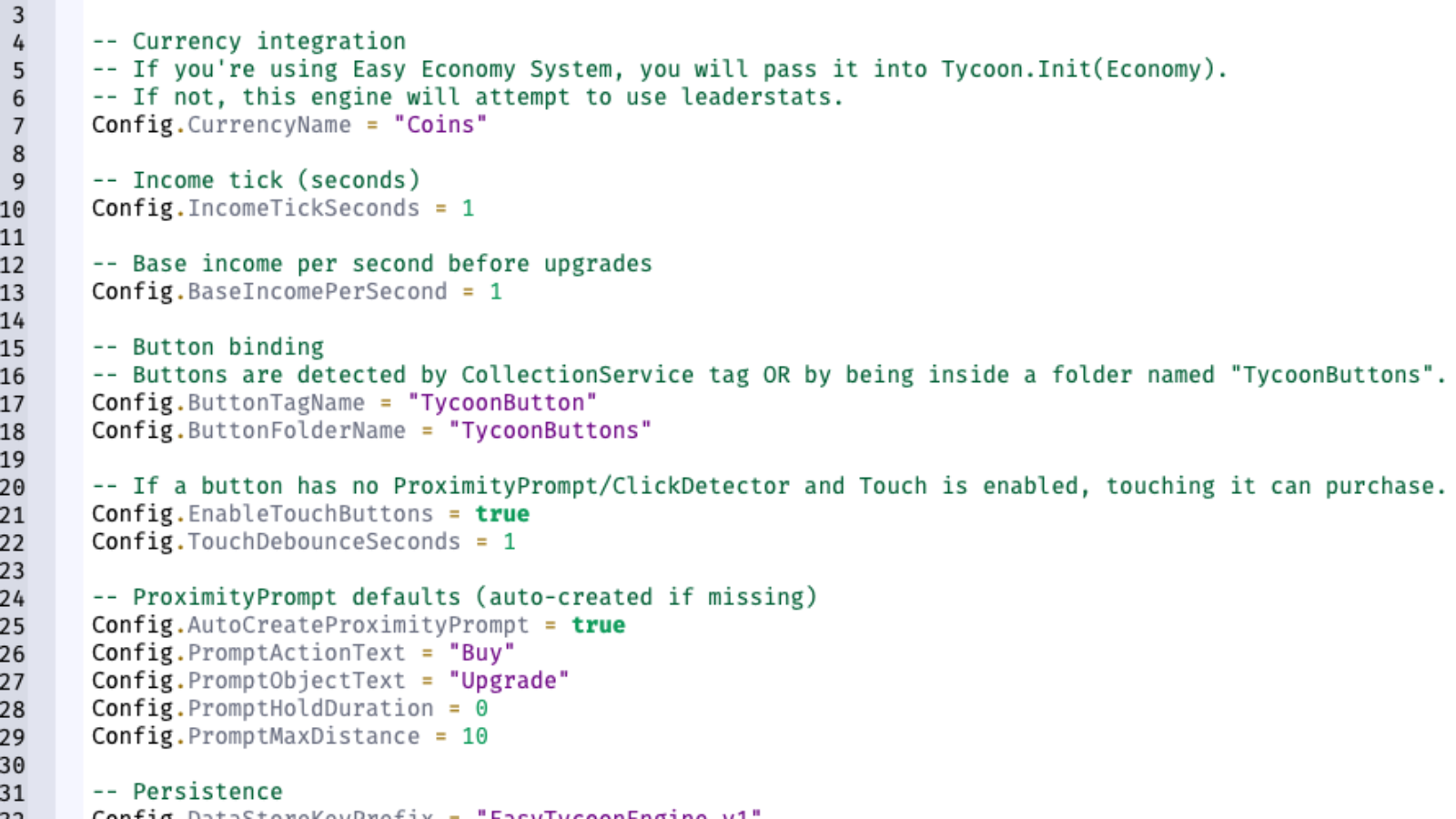
Easy Tycoon Engine Config.lua showing currency, income, button binding, and persistence settings
Configure currency, income ticks, button detection, proximity prompts, and persistence in a single readable Config file — no gameplay code required.
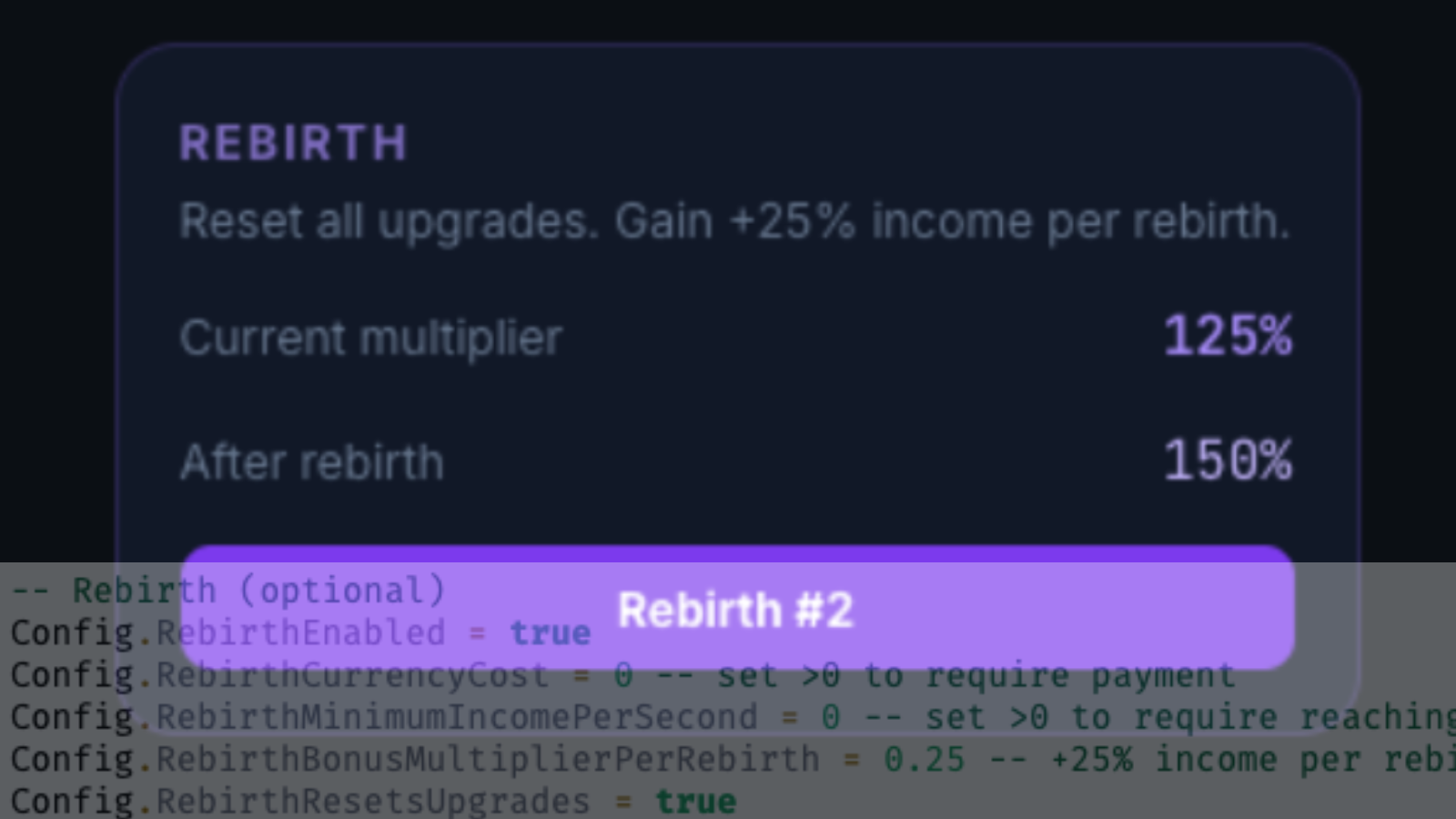
Easy Tycoon Engine rebirth panel showing multiplier preview and config options
Built-in rebirth system lets players reset upgrades for permanent income multipliers — fully configurable with cost, threshold, and bonus settings.
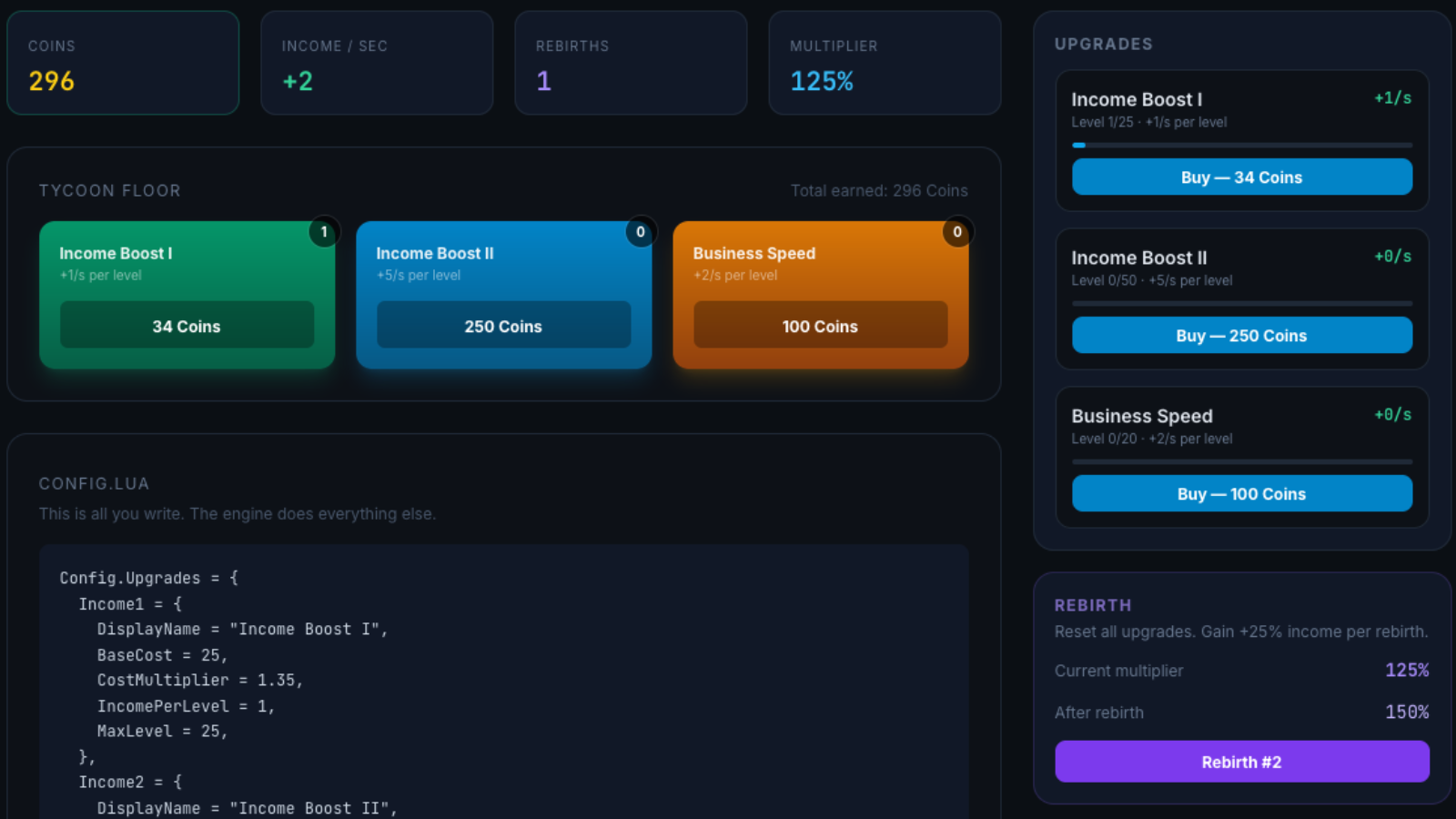
Easy Tycoon Engine interactive web demo with tycoon floor, upgrade cards, and config preview
Test the full tycoon loop in-browser — purchase upgrades, earn income, rebirth for multipliers, and preview the Lua config that drives it all.
Features
What you get
- Plot system with auto-assignment and spectator mode
- Model spawning on purchase — drop models in ServerStorage and they appear on purchase
- Config-table-driven upgrade system (no coding required)
- Automatic cost scaling per upgrade level
- Income-per-second progression
- Built-in rebirth with fade-out animation
- Server-authoritative calculations
- Playable factory demo place included — ship as-is or reskin
- Autosave and shutdown-safe persistence
- Clean, readable source code
Stop rebuilding what Easy Tycoon Engine already solves.
Production-ready source code, clean integration, and every future update included — so you ship your game, not your infrastructure.
From $14.99 · one-time
Use Cases
Built for these workflows
Visual Tycoons
Buy an upgrade, watch a factory model spawn on your plot. The engine handles the visuals.
Classic Tycoons
Define upgrades, costs, and income in a config table — the engine does the rest.
Idle / AFK Games
Income-per-second progression works out of the box for idle gameplay loops.
Rebirth Systems
Built-in rebirth logic with fade-out animation and multiplier-based income scaling.
Pricing
One price. Yours forever.
Pay once, get full source code and every future update. No subscriptions, no per-seat fees, no recurring charges.
Personal
One-time payment — yours forever
For individual developers and solo projects.
- Full source code access
- Use in one Roblox experience
- Modify source for your project
- Deploy to live production
- All future updates included
- Installation & bug-fix support
Studio
One-time payment — yours forever
For teams and commercial game studios.
- Full source code access
- Use across multiple experiences
- Share with your development team
- Commercial-scale deployment
- Internal forks for studio use
- All future updates included
- Priority support response
Use across your entire studio
Compare tiers
Personal vs Studio
| Feature | Personal | Studio |
|---|---|---|
| Source code access | ||
| Production deployment | ||
| All future updates | ||
| Experiences allowed | 1 | Unlimited |
| Team sharing | — | |
| Internal forks | — | |
| Commercial use | Solo only | Full commercial |
| Support tier | Standard | Priority |
Technical
Integration details
Installation
Up and running in minutes.
- 1Place the EasyTycoonEngine folder into ServerScriptService.
- 2Optional: install and initialize Easy Economy System.
- 3Require and initialize the Tycoon and TycoonPlot modules from a server script.
- 4Add plot Models to workspace.TycoonPlots and model templates to ServerStorage.TycoonModels.
- 5Define upgrades in Config.lua.
API Surface
- Tycoon.Init(economyModule)
- Tycoon.CanPurchase(player, upgradeId)
- Tycoon.Purchase(player, upgradeId)
- Tycoon.GetLevel(player, upgradeId)
- Tycoon.GetIncome(player)
- Tycoon.TryRebirth(player)
- Tycoon.OnPurchase:Connect(fn)
- Tycoon.OnRebirth:Connect(fn)
- TycoonPlot.Init(Tycoon)
- TycoonPlot.GetPlot(player)
- TycoonPlot.IsSpectating(player)
- TycoonPlot.OnPlotAssigned:Connect(fn)
- TycoonPlot.OnModelSpawned:Connect(fn)
Requirements
- Roblox Studio: Latest recommended
- LuaU: Required
- Dependencies: None (Easy Economy System recommended)
Licensing
Permitted for use in personal and commercial Roblox games. Source code may be modified for internal use. Redistribution or resale of the source is not permitted.
View full licensing terms →Full source code. Documented APIs. No black boxes.
Easy Tycoon Engine ships with clean architecture, typed APIs, and step-by-step installation — so you can inspect, modify, and trust exactly what you are deploying.
Updates
Actively maintained
Your license includes this release and every future update at no extra cost.
- Added: TycoonPlot module — opt-in plot + model spawning layer with auto-assignment and spectator mode
- Added: Marker-based positioning — Parts named after UpgradeIds inside each plot define where models spawn
- Added: Rebuild-on-join — saved upgrade levels rebuild as models when a plot is assigned
- Added: Rebirth fade-out animation (Config.RebirthFadeOutSeconds, default 0.5s)
- Added: 7 new Config fields for plot system (PlotEnabled, PlotFolderName, ModelFolderName, etc.)
- Added: New plot-spawning example and TycoonPlot API documentation
- Changed: Bundled demo place rebuilt as a fully playable factory tycoon with 8 plots and 8 themed upgrades
- Changed: Sample Config.Upgrades replaced with factory-themed defaults (Generator → Reactor)
- Changed: Product positioning from "economy engine" to "complete tycoon framework"
- Added: OnPurchase signal — fires (player, upgradeId, newLevel) after every successful purchase
- Added: OnRebirth signal — fires (player, rebirthCount) after every successful rebirth
- Added: Demo script example showing model spawning via OnPurchase
- Added: Interactive demo scripts with web demo support
- Added: Leaderstats creation with starting balance on player join
- Changed: Enlarged tycoon demo UI with bigger fonts and wider panel
- Fixed: Rebirth button overlap in demo UI
- Added: Config-driven tycoon and upgrade engine
- Added: Automatic cost scaling and income system
- Added: Optional rebirth support with configurable thresholds
- Added: Economy module integration for currency-backed purchases
- Added: Beginner-focused documentation and examples
FAQ
Common questions
Get Easy Tycoon Engine today.
One purchase. Full source. Instant download. Every future update included at no extra cost.
Secure Stripe checkout · License delivered instantly · No recurring fees